As Laravel developers, we love the "magic" of the framework. Sometimes, that magic makes us lazy. We write return Post::all(); in a controller, see the JSON appear in Postman, and think, "Job done!"
But if you look closer, that simple line of code is a ticking time bomb.
Think of your database as a raw Satellite View of the earth. It shows everything: rooftops, trash cans, electric poles. But your API users (the Frontend or Mobile App) don't need that. They need a Google Map: clean roads, clear labels, and zero clutter.
Laravel API Resource is that map. Here is why refusing to use it will eventually break your application.
What is an API Resource?
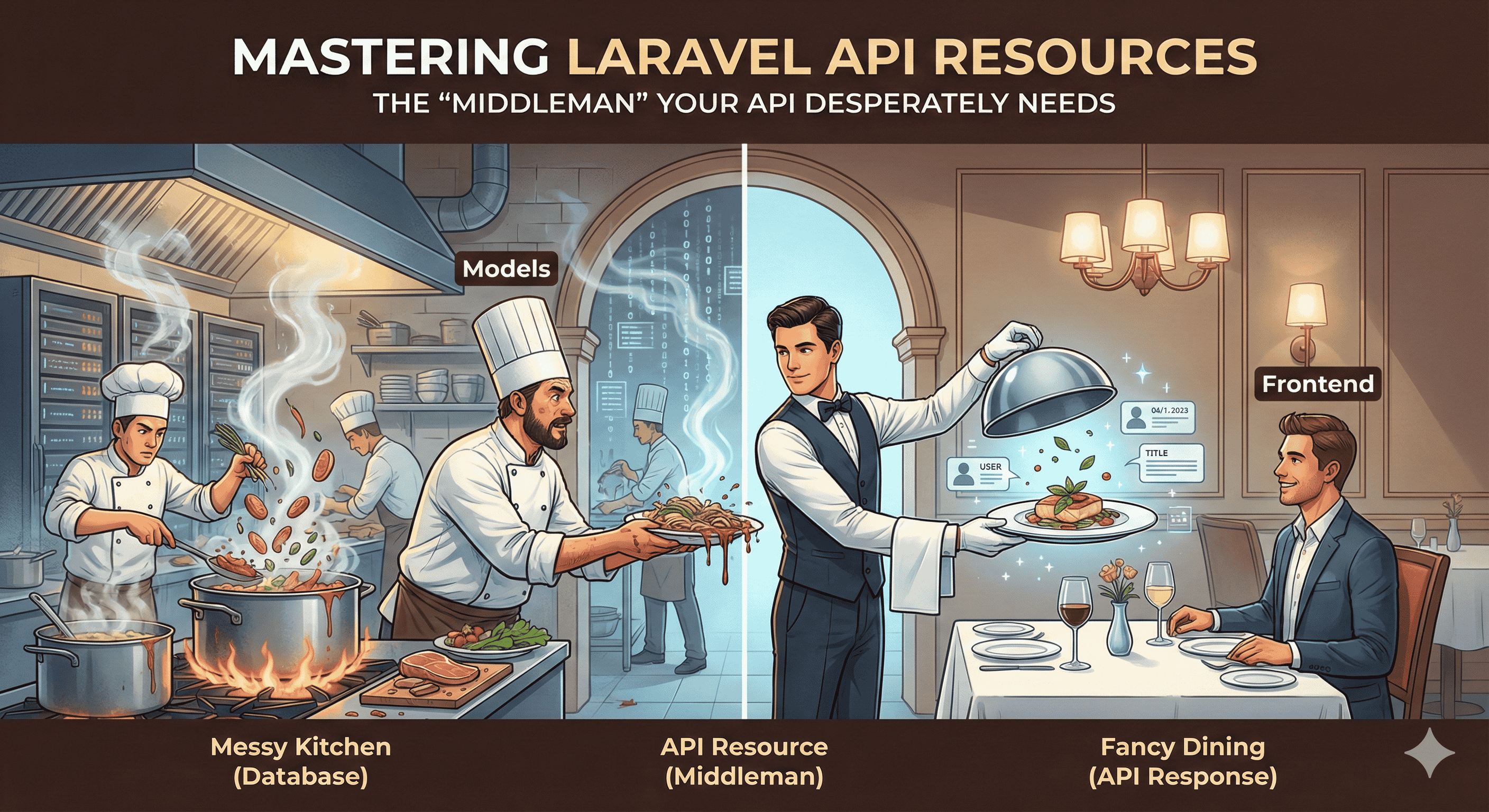
Think of your application like a Fancy Restaurant.
-
The Kitchen (Database): This is where the raw ingredients live. It’s messy, hot, and full of secret recipes (passwords, private keys).
-
The Customer (Frontend/API User): They are sitting at the table waiting for food.
-
The API Resource (The Waiter): The Waiter doesn't just grab a hot, dirty pan off the stove and throw it at the customer. They take the food, plate it beautifully, ensure no "kitchen secrets" (like the chef's hairnet or dirty spoon) are on the plate, and serve exactly what was ordered: clean, safe, and ready to consume.
Without the Waiter (API Resource), the Customer would have to walk into the messy kitchen and grab the food themselves. They might see things they shouldn't (dirty dishes) or get the wrong order.
API Resource is a "Transformation Layer." It sits between your Models (Database) and the JSON response. It takes your raw database object, filters it, dresses it up, and serves a clean, formatted plate to the user.
Real-World Scenarios: Why You must use It
Problem 1: The "Dirty Loop" & Performance Killer
The Scenario: You have 1,000 Posts. inside every post, you want to include the Author's Name and Avatar (which belongs to a relationship).
❌ The Wrong Way (Manual Looping): Developers often try to "inject" data manually using foreach or map.
// Controller Code (DO NOT DO THIS)

public function index() {

    $posts = Post::with('user')->get();


    // ⚠️ MEMORY & CPU KILLER

    $customPosts = $posts->map(function ($post) {

        $post->author_name = $post->user->first_name; // Manual assignment

        unset($post->user); // Trying to clean up

        return $post;

    });


    return response()->json($customPosts);

}
Why is this dangerous?
-
CPU Waste: You are forcing the server to loop 1,000 times and execute logic for every single row. This increases Latency (wait time).
-
Memory Bloat: PHP has to hold the original collection AND the modified collection in RAM during the process. If you have high traffic, your server will crash.
The Solution (API Resource): Resources handle this efficiently. You define the structure once, and Laravel processes it optimally without the overhead of manual loops in the controller.
// PostResource.php

return [

    'id' => $this->id,

    'author_name' => $this->user->first_name, // Clean & Fast

];


// Controller

return PostResource::collection($posts);
Problem 2: The Security Leak
The Scenario: Your users table contains columns for id, name, email, password, and stripe_secret_key
❌ The Wrong Way:
return User::find(1);
The Output (Hacker's Dream):
{
    "id": 1,
    "name": "John",
    "password": "$2y$10$92IXUNpkj...",
    "stripe_secret_key": "sk_test_4eC39..."
}
You just exposed your payment keys and password hashes. Even if you hide it on the frontend, the data is visible in the browser's "Network" tab.
The Solution: API Resources act as a Whitelist.
public function toArray($request) {
    return [
        'id' => $this->id,
        'name' => $this->name,
        // Password and Keys are AUTOMATICALLY excluded
    ];
}
Problem 3: The "Schema Change" Nightmare
The Scenario: Your database has a column named phone_number. Your Mobile App team has built their app expecting the key phone_number in the JSON. Suddenly, your team lead says: "We need to rename the database column to contact_no."
❌ The Wrong Way: Direct Dependency
If you are not using resources, renaming the database column immediately changes the API response key.
-
Database:
phone_number➡️contact_no -
API Response: {
"phone_number": "..."} ➡️ {"contact_no": "..."} -
Result: The Mobile App crashes because response.
phone_numberis nowundefined.
The Solution: Abstraction Layer
With API Resources, the database structure and the API response are decoupled. You can change the database internally without breaking the external world.
// UserResource.php
public function toArray($request)
{
    return [
        // The API Key stays 'phone_number' forever
        'phone_number' => $this->contact_no, // Mapped to the NEW DB column
    ];
}
Result: You changed the database, updated the mapping in one file, and the Mobile App didn't even notice. Zero downtime.
How to Create & Use It:
Getting started is incredibly easy. Laravel provides a dedicated Artisan command.
Step 1: Create the Resource
Open your terminal and run:
php artisan make:resource PostResource
This creates a file at app/Http/Resources/PostResource.php.
Step 2: Define the Map
Open that file. You will see a toArray method. This is where you design your "Public Data Map."
public function toArray($request)
{
    return [
        'id' => $this->id,
        'title' => $this->title,
        'content' => $this->body, // Renaming 'body' to 'content'
        'created_at' => $this->created_at->format('d M, Y'), // Formatting Date
    ];
}
Step 3: Use it in the Controller
Instead of returning the model directly, wrap it in your new Resource.
// For a Single Record
return new PostResource($post);

// For a List (Collection)
return PostResource::collection($posts);
How It Works "Under the Hood"
You might be wondering, "Is this magic?" Not really.
When you pass a model to a Resource class (like new UserResource($user)), the Resource class wraps that model.
-
Interception: When Laravel prepares to send the response to the browser, it checks if the data is an instance of JsonResource.
-
Transformation: If it is, Laravel automatically calls the
toArray()method you wrote. - Serialization: It takes the array returned by that method and converts it into valid JSON string using PHP's
json_encode.
Conclusion
Using foreach or map in controllers to format data is like washing clothes by hand when you have a washing machine. It’s slow, tiring, and wastes resources.
API Resources provide:
-
Structure: Clean code organization.
-
Performance: Efficient data handling.
-
Security: No accidental data leaks.
Stop sending the "Kitchen View." Serve your users a proper plate. Use API Resources.


Comments
No comments yet. Be the first to comment!